
The Unseen Architecture of Insight: Why Expandable Tables Are Your Data’s Best Friend
A staggering 90% of the world’s data has been created in the last two years alone, a tidal wave of information that demands sophisticated organizational tools. In this era of data deluge, the ability to present complex datasets in a digestible, user-friendly format is not just an advantage; it’s a necessity. Enter the expandable table, a dynamic and elegant solution that transcends the limitations of static grids. Far from a mere UI element, an expandable table represents a paradigm shift in how we interact with and derive meaning from information, offering a structured yet flexible approach to data presentation.
- The Unseen Architecture of Insight: Why Expandable Tables Are Your Data’s Best Friend
- Understanding the Core Anatomy of an Expandable Table
- Strategic Implementation: Designing for Clarity and Usability
- Defining the Hierarchy and Data Structure
- User Interface (UI) and User Experience (UX) Considerations
- Performance Optimization for Large Datasets
- Accessibility Standards
- The Power of Hierarchy: Transformative Use Cases
- Financial Reporting and Auditing
- Inventory Management and Logistics
- Customer Relationship Management (CRM)
- Software Development and Bug Tracking
- E-commerce Product Catalogs
- Advanced Features and Customization
- Row Selection and Bulk Actions
- Inline Editing
- Filtering and Sorting Across Levels
- Contextual Menus and Actions
- Customizable Column Visibility
- Building Your Own Expandable Table: Key Technical Considerations
- Front-End Frameworks and Libraries
- Data Fetching and State Management
- Rendering Strategies
- Event Handling and User Interaction Logic
- The Future of Data Organization: Evolution of Interactive Tables
- Key Takeaways
- Frequently Asked Questions
- What is the primary benefit of using an expandable table over a standard table?
- How can performance issues be addressed in expandable tables with very large datasets?
- Are there specific tools or libraries recommended for building expandable tables?
- What are the key considerations for ensuring an expandable table is accessible?
- Can expandable tables be used for data visualization?
- Final Recommendations for Optimal Data Organization
Wikipedia: Contents — Wikipedia
It’s the unsung hero of dashboards, reports, and interactive web applications, providing users with the control to drill down into specifics without being overwhelmed by the entirety of a dataset at once.
The true power of data organization lies not just in collecting it, but in making it immediately comprehensible and actionable. An expandable table achieves this by offering a tiered approach to information discovery.
This guide is meticulously crafted to equip you with a profound understanding of the expandable table – its anatomy, its strategic implementation, and its transformative impact on data comprehension. We will explore the technical nuances, best practices for user experience, and showcase real-world scenarios where this powerful tool shines. Whether you’re a developer building interactive interfaces, a data analyst presenting findings, or a business user navigating complex reports, mastering the expandable table will elevate your ability to communicate and leverage data effectively.
Understanding the Core Anatomy of an Expandable Table
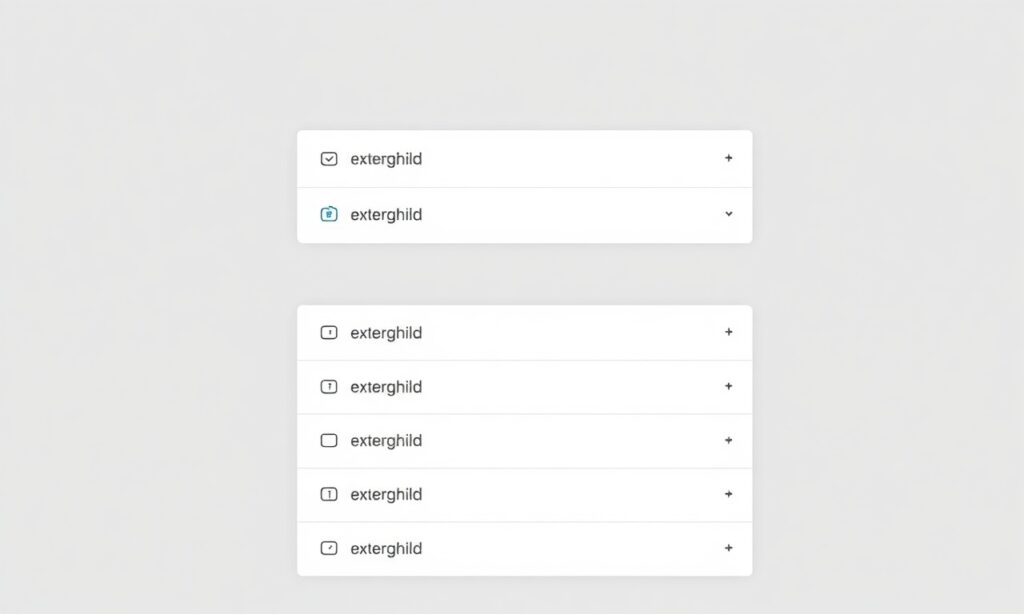
At its heart, an expandable table is a hierarchical data structure designed to manage information that has inherent parent-child relationships or multiple levels of detail. Unlike a traditional, flat table where all rows and columns are visible simultaneously, an expandable table allows users to collapse and expand specific rows or sections, revealing or concealing nested data. This core functionality is typically managed through interactive elements, most commonly icons like plus (+) and minus (-) signs, or clickable chevrons, positioned adjacent to the primary data points.
The architecture typically involves a clear distinction between parent rows and child rows. Parent rows contain summary information or the main category, and when interacted with, they reveal associated child rows. These child rows might contain more granular details, subcategories, or specific data points related to the parent. The depth of this hierarchy can vary significantly, from a simple two-tier structure (parent and immediate children) to deeply nested, multi-level expansions, allowing for intricate data exploration. The visual design matter significantly; consistent indentation, subtle shading, and clear visual cues are essential to guide the user through the different levels of the data hierarchy.
This layered approach prevents information overload. Imagine a sales report detailing regional performance. The top level might show total sales per continent. Expanding a continent reveals sales figures for each country within that continent. Further expansion might show sales by city, and then by individual product SKU. This controlled revelation ensures that users can grasp the high-level overview quickly, then progressively explore specifics as needed, fostering a more intuitive and efficient data analysis process.
Strategic Implementation: Designing for Clarity and Usability
The effectiveness of an expandable table hinges on thoughtful design and implementation that prioritizes user experience. Simply having the functionality isn’t enough; it must be intuitive, performant, and visually coherent. The goal is to guide the user seamlessly through the data, making exploration feel natural rather than cumbersome.
Defining the Hierarchy and Data Structure
The first critical step is to meticulously define the hierarchical structure of your data. This involves identifying clear parent-child relationships. Is the data naturally organized into categories and subcategories? Are there summary statistics that logically precede detailed entries? The underlying data model must support this structure, often achieved through relational databases with foreign key constraints or through structured data formats like JSON or XML that inherently support nesting. For instance, in a project management tool, a project might be the parent, with tasks as children, and sub-tasks as further descendants.
User Interface (UI) and User Experience (UX) Considerations
Visual cues are paramount. Icons for expansion/collapse (e.g., ‘+’, ‘-‘, ‘>’, ‘v’) should be universally understood and consistently applied. The visual distinction between parent and child rows is also key; indentation is a common and effective method, subtly shifting child rows to the right to indicate their subordinate status. Hover states can provide visual feedback, indicating which elements are interactive. Animation, when used judiciously, can enhance the perceived responsiveness and fluidity of the expansion/collapse actions, but excessive or jarring animations can detract from usability.
Performance Optimization for Large Datasets
One of the primary challenges with expandable tables, especially those handling vast amounts of data, is performance. Loading all nested data upfront can lead to slow initial render times and sluggish interactions. Techniques like virtualization or lazy loading are essential. Virtualization involves only rendering the rows that are currently visible in the viewport, significantly reducing the DOM complexity. Lazy loading means that child data is only fetched from the server or computed when its parent row is actually expanded. According to research in human-computer interaction, users perceive systems that respond within 100 milliseconds as instantaneous, and delays beyond 1 second can lead to a significant drop in user satisfaction.
Implementing these performance optimizations is thus crucial for a positive user experience.
Accessibility Standards
Ensuring your expandable table is accessible to all users, including those with disabilities, is not just a best practice but a legal requirement in many contexts. This means implementing proper ARIA (Accessible Rich Internet Applications) attributes to describe the roles, states, and properties of interactive elements. Keyboard navigation is also critical; users should be able to navigate through rows and trigger expansions/collapses using keyboard commands alone. Screen readers must be able to interpret the hierarchical structure and the current state (expanded or collapsed) of each row.
The Power of Hierarchy: Transformative Use Cases
The elegance of the expandable table lies in its versatility. It can bring order and clarity to a wide array of complex data scenarios across different industries.
Financial Reporting and Auditing
In finance, precision and drill-down capability are non-negotiable. An expandable table can present high-level financial statements (e.g., income statements, balance sheets) where users can then expand accounts to see individual transactions. Auditors can quickly review summary figures and then expand specific line items to verify underlying entries, drastically streamlining the audit process. This avoids the need for multiple static reports or complex pivot tables, offering a single, interactive view.
Inventory Management and Logistics
For businesses managing extensive inventories, an expandable table can be invaluable. A top-level view might show total stock levels per warehouse. Expanding a warehouse could reveal stock by product category, then by specific product ID, and finally, by batch or lot number. This granular control is essential for tracking, reordering, and managing stockouts effectively. In logistics, it can track shipments from origin to destination, expanding to show each transit point, carrier, and delivery status.
Customer Relationship Management (CRM)
CRMs often deal with multifaceted customer data. An expandable table can display a list of customers, and upon expansion, reveal their contact information, recent interactions, order history, and support tickets. This provides a 360-degree view of the customer without cluttering the initial interface, allowing sales and support teams to access relevant details instantly.
Software Development and Bug Tracking
In project management and software development, an expandable table can map out project structures. A project can be the parent, followed by sprints, then individual tasks, and finally, sub-tasks or bug reports. Developers and project managers can easily navigate the project hierarchy, assess task dependencies, and track progress at various levels of detail. Bug tracking systems can use this to link issues to specific features or versions, allowing for efficient diagnosis and resolution.
E-commerce Product Catalogs
For online retailers with vast product catalogs, expandable tables can manage product variations, accessories, and related items. A primary product listing might expand to show different sizes, colors, or configurations, each with its own SKU and pricing. Further expansion could reveal compatible accessories or bundled offers, enhancing the shopping experience and encouraging upselling.
Advanced Features and Customization
Beyond the basic expand/collapse functionality, expandable tables can be augmented with sophisticated features to enhance their power and utility.
Row Selection and Bulk Actions
Allowing users to select multiple rows, either by checking individual boxes or by selecting entire expanded sections, opens up possibilities for bulk actions. This could include bulk editing, deleting, exporting, or assigning tasks. For example, in an inventory system, a user might select all low-stock items across multiple categories to initiate a reorder process.
Inline Editing
Enabling inline editing within expandable tables transforms them from passive displays into active data management tools. Users can modify data directly within the cells of parent or child rows without navigating to separate edit forms. This is particularly powerful when combined with validation and immediate feedback to ensure data integrity.
Filtering and Sorting Across Levels
Implementing robust filtering and sorting capabilities that respect the hierarchical structure is crucial. Users should be able to filter not only parent rows but also child rows, and the system should intelligently update the visibility of both. Sorting can be applied to individual columns, with options to sort parent rows independently or to sort child rows within their respective parent groups.
Contextual Menus and Actions
Right-click context menus or dedicated action buttons associated with specific rows or expandable sections can provide quick access to relevant operations. These could include “View Details,” “Edit,” “Delete,” “Clone,” or “Generate Report.” The options presented should be context-aware, adapting to the type of data in the row.
Customizable Column Visibility
In complex tables, users might not need to see every column all the time. Allowing users to toggle the visibility of specific columns, perhaps through a “Columns” dropdown or settings panel, helps reduce visual clutter and tailor the interface to individual needs. This customization should be persistent, remembering user preferences across sessions.
Building Your Own Expandable Table: Key Technical Considerations

Implementing an expandable table from scratch or using libraries requires a solid understanding of front-end development principles. The choice of technology stack will significantly influence the approach.
Front-End Frameworks and Libraries
Modern JavaScript frameworks like React, Angular, and Vue.js are exceptionally well-suited for building interactive UI components like expandable tables. These frameworks facilitate component-based architecture, state management, and efficient DOM manipulation, which are all critical for dynamic tables. Numerous open-source libraries are available that provide pre-built, customizable expandable table components, saving significant development time. Examples include `react-table` (with plugins for expansion), `ag-Grid`, and various UI component libraries for Vue and Angular.
Data Fetching and State Management
Efficiently fetching and managing the data for an expandable table is paramount. For large datasets, consider using APIs that support pagination and filtering. State management libraries (like Redux for React, Vuex for Vue) can help manage the complex state of the table, including which rows are expanded, what data is currently loaded, and user preferences. The state must accurately reflect the current view of the data, ensuring that user interactions are handled correctly and the UI remains consistent.
Rendering Strategies
As mentioned earlier, performance is key. Beyond virtualization and lazy loading, consider the rendering strategy. Server-side rendering (SSR) can improve initial load times by rendering the HTML on the server, while client-side rendering (CSR) offers more interactivity. A hybrid approach might be optimal, rendering essential parent rows on the server and dynamically loading child data on the client as needed.
Event Handling and User Interaction Logic
The core logic involves handling user events (clicks on expansion icons, selection checkboxes, etc.) and updating the table’s state accordingly. This often involves managing an array or tree structure representing the table’s data, where each item has properties indicating its expanded state and its relationship to other items. When a parent row is expanded, the logic needs to efficiently find and render its associated child rows.
The Future of Data Organization: Evolution of Interactive Tables
The expandable table, while a mature concept, continues to evolve. We are seeing an increasing integration of AI and machine learning to suggest relevant drill-downs, automatically group similar data points, or even predict user intent. The lines between traditional tables, dashboards, and data visualization tools are blurring, with expandable tables becoming more visually engaging and interactive, incorporating charting elements within cells or dynamically generating visualizations based on selected data subsets.
The emphasis on natural language interfaces is also impacting data interaction. Imagine asking your system to “show me sales for Q4 in the European region, broken down by product category.” An intelligent expandable table interface could interpret this command and dynamically expand the relevant sections to present the requested information.
The quest for faster, more intuitive data access will continue to drive innovation in this space. As datasets grow larger and more complex, the importance of well-designed, expandable data structures will only intensify. Mastering this tool is no longer just about technical proficiency; it’s about enhancing human understanding in an increasingly data-saturated world.
Key Takeaways
- Hierarchical Structure: Expandable tables excel at presenting data with parent-child relationships, allowing users to navigate complexity layer by layer.
- User Experience is Paramount: Intuitive UI cues, consistent design, and robust performance optimization (like lazy loading and virtualization) are critical for effective implementation.
- Versatile Applications: From financial reporting and inventory management to CRMs and bug tracking, expandable tables offer broad utility across industries.
- Performance is Non-Negotiable: For large datasets, techniques like lazy loading and virtualization are essential to maintain responsiveness and prevent user frustration.
- Accessibility Matters: Adhering to accessibility standards ensures that expandable tables are usable by everyone, regardless of ability.
- Continuous Evolution: The future points towards more AI-driven insights, smoothly connect with visualizations, and natural language interaction.
Frequently Asked Questions
What is the primary benefit of using an expandable table over a standard table?
The primary benefit of an expandable table is its ability to manage and present complex, hierarchical data without overwhelming the user. Unlike a standard table where all data is visible simultaneously, an expandable table allows users to progressively reveal details. This controlled disclosure prevents information overload, enhances readability, and facilitates more focused data exploration and analysis. It’s particularly useful when dealing with nested categories, sub-items, or multi-level relationships within a dataset.
How can performance issues be addressed in expandable tables with very large datasets?
Performance issues in large expandable tables can be effectively addressed through several key strategies. Lazy loading is crucial, ensuring that child data is only fetched and rendered when its parent row is explicitly expanded by the user. Virtualization is another vital technique, where only the rows currently visible in the user’s viewport are rendered in the DOM, significantly reducing the processing load. Optimizing data fetching from the backend, perhaps by using pagination and server-side filtering, also plays a critical role. Additionally, efficient state management on the front-end prevents unnecessary re-renders.
Are there specific tools or libraries recommended for building expandable tables?
Yes, there are numerous excellent tools and libraries available for building expandable tables, particularly within modern front-end development frameworks. For React, libraries like `react-table` (often with community plugins for expansion), `ag-Grid` (a powerful enterprise-grade data grid), and components from UI kits like Material-UI or Ant Design offer robust solutions. For Angular, `ag-Grid` is also a strong contender, alongside libraries like `angular-datatables`. For Vue.js, libraries like `Vue-good-table` or `ag-Grid` are popular choices. These libraries often provide pre-built features for expansion, sorting, filtering, and inline editing, saving significant development effort.
What are the key considerations for ensuring an expandable table is accessible?
Ensuring accessibility for expandable tables involves several critical steps. Developers must implement appropriate ARIA (Accessible Rich Internet Applications) attributes to clearly define the role, state (expanded/collapsed), and properties of interactive elements like expansion icons. Users must be able to navigate and operate the table using a keyboard alone, typically via arrow keys and Enter/Spacebar. Screen readers need to accurately convey the hierarchical structure and the current state of each row. Visual design also plays a role, ensuring sufficient color contrast and clear focus indicators for keyboard users.
Can expandable tables be used for data visualization?
While expandable tables themselves are primarily for structured data presentation, they can be effectively integrated with data visualization techniques. For instance, a cell within an expandable table could contain a small sparkline chart to visualize trends for that specific data point. Alternatively, selecting rows or expanding sections could trigger the generation or update of a larger chart or dashboard element, providing visual context for the data being explored within the table. This hybrid approach offers a powerful way to combine detailed tabular data with graphical insights.
Final Recommendations for Optimal Data Organization
The adoption of an expandable table is more than just a technical implementation; it’s a strategic decision to enhance data accessibility and user comprehension. When embarking on this path, always start with a deep understanding of your data’s inherent structure and the user’s journey. Prioritize clarity in visual design, ensuring that the hierarchy is immediately apparent and interactions are predictable. For developers, embrace performance optimization techniques from the outset, as addressing them later can be significantly more challenging. Always test with real users to identify pain points and refine the experience.
By treating the expandable table not just as a component, but as a fundamental tool for insight discovery, you can unlock significant value from your data, empowering users to navigate, analyze, and act upon information with unprecedented ease and confidence.
See also: expandable table